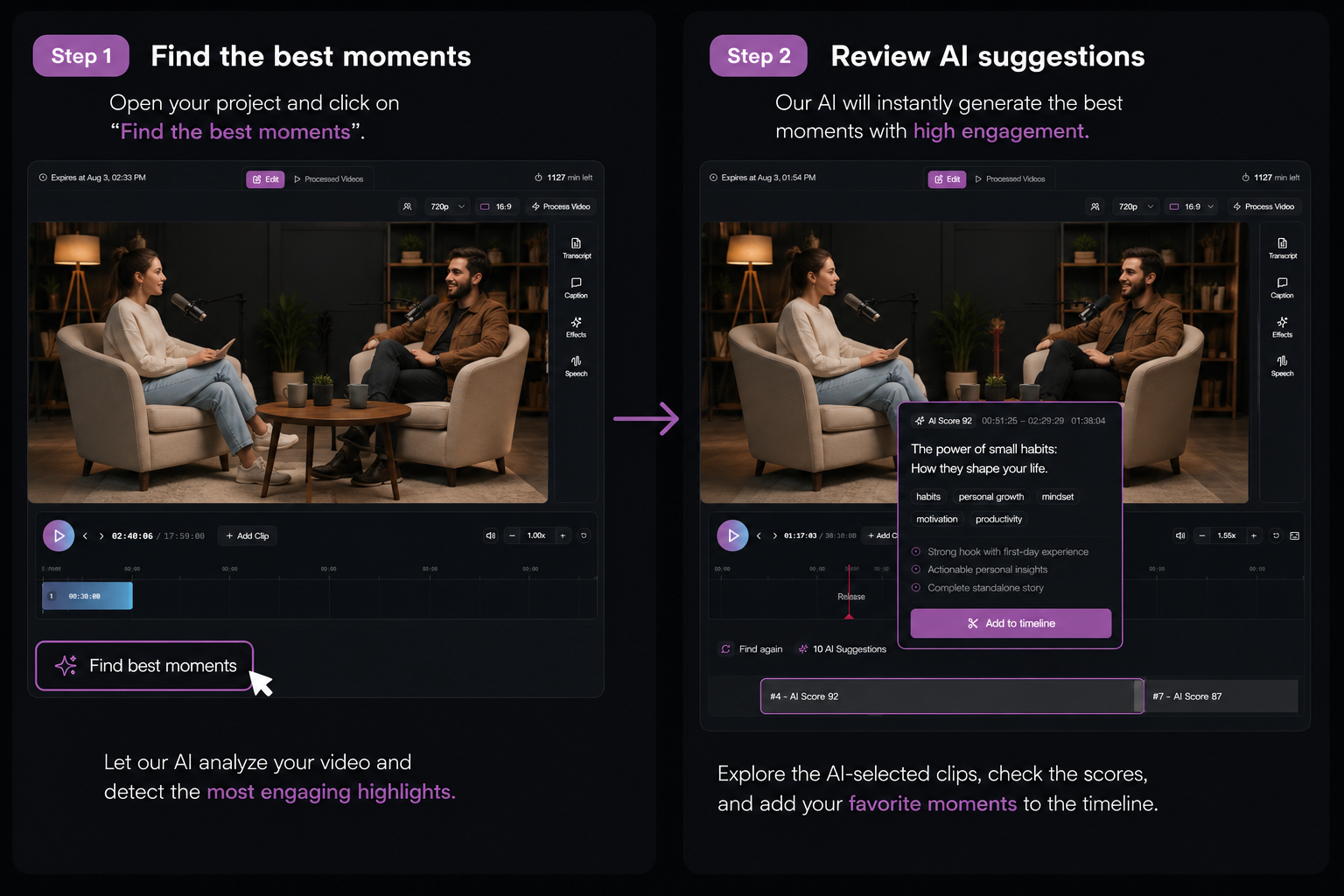
Find the moments worth clipping—in minutes
AI scans your full source and ranks segments by clip potential—so you start with signal, not guesswork.
For YouTube interview & education creators
Built for interview and education channels (roughly 10k–80k subs) that already discard bad AI endings and hop to CapCut. Paste a YouTube link or upload—AI ranks moments, you snap endings, caption, and publish Shorts without leaving Short Bytes.
AI Highlights
Suggested clips appear ranked by potential—preview a highlight, drop it on the timeline, then trim the ending before export.
Finish loop
AI scans your full source and ranks segments by clip potential—so you start with signal, not guesswork.
Smart tracking keeps speakers and action centered in 9:16, 16:9, or 1:1. Override anytime with a tracking point or manual crop on any segment.
Reorder, trim, transition, and shortcut your way to a cut that feels intentional—not random.
Animated subtitles with your fonts and colors—what you see in preview is exactly what exports.
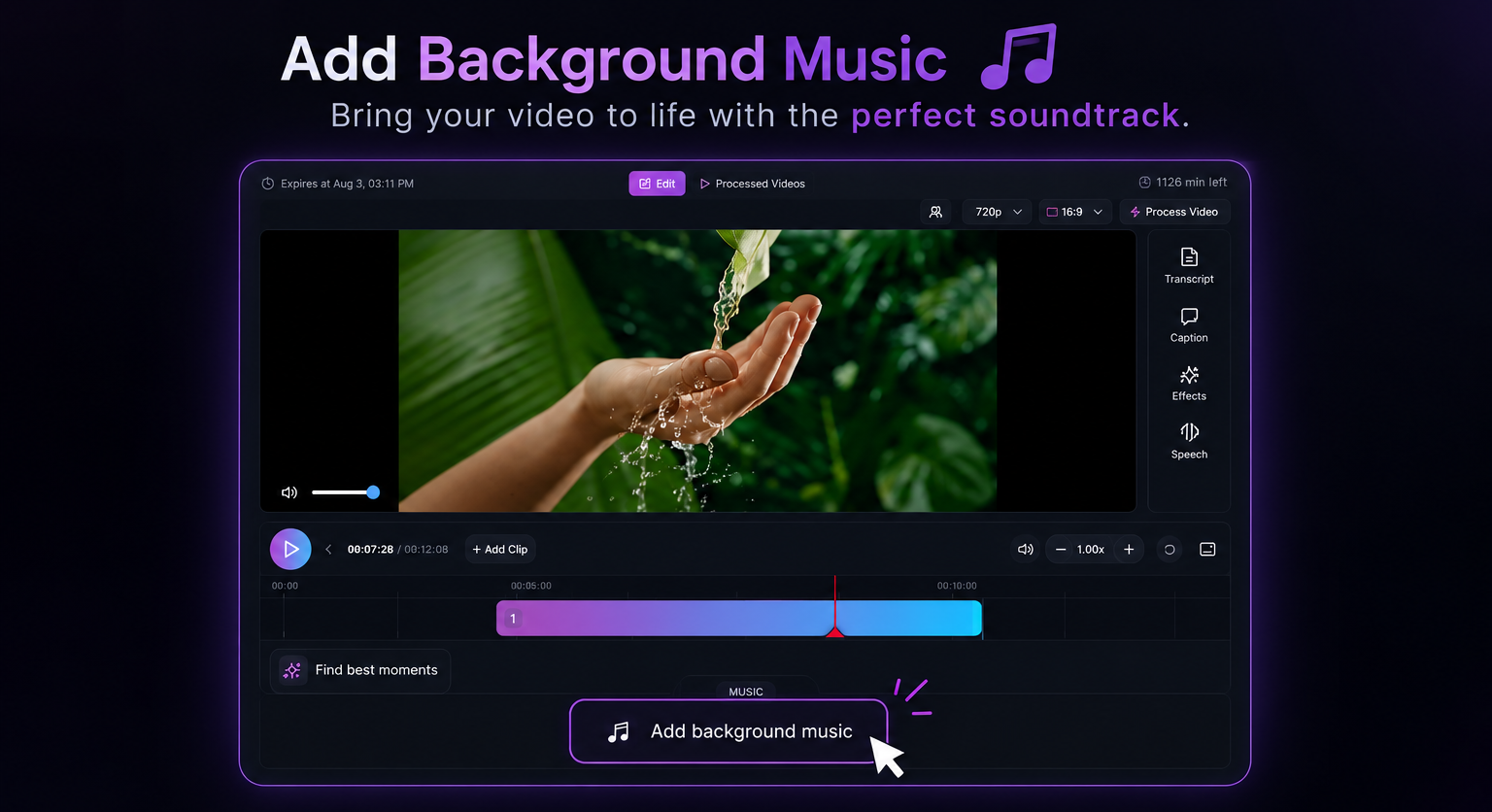
Royalty-free tracks, speech enhancement, and per-segment levels—mixed on the same timeline as your edit.
Connect accounts, write titles, set visibility, schedule ahead—or go live the moment export finishes.
Autosave and re-process when the brief changes—ship the cut you stand behind, then iterate without starting from zero.
How it works
Upload a file or paste a YouTube link. Run AI clipping for ranked suggestions—or mark your own range before the editor opens.
Trim segments, reframe for vertical, add animated captions and music, tune transitions—use AI as a draft or ignore it completely.
Render your short, download MP4, schedule a post, or push live to YouTube, TikTok, and Instagram from the same project.
Why Short Bytes
One-click tools dump clips you still finish in CapCut.
AI proposes → you finish endings on the timeline, then publish.
Captions in one app, editing in another, posting in a third.
Clip, caption, mix audio, and publish in one workspace.
Vague credits and hard-to-cancel billing.
Minutes shown before process. Cancel via Stripe portal.
FAQ
Import a long video, optionally let AI surface highlight segments, then edit on the timeline—reframe, captions, music, and transitions. When the cut is right, process (minutes shown first), export, or publish directly to connected platforms.
Yes. Set time ranges manually, cut segments by hand, crop, caption, and export—no AI required. Many creators mix AI suggestions with manual edits in the same project.
You can publish YouTube, TikTok, and Instagram from the editor after you approve the cut. We optimize for “finish the short you stand behind,” not fully hands-free virality.
YouTube, TikTok, and Instagram from inside the editor. Schedule ahead or download the MP4 and upload anywhere else.
Exploring and editing costs nothing. You pay with processing minutes when you process (1 min of source = 1 min)—shown as “Uses ~X min · Y left” before you start.
YouTube interview and education creators who already use AI clippers but still hop to CapCut to fix endings. If you only want one-click bulk dumps with no timeline, other tools may fit better.
Paste a YouTube link, let AI suggest moments, then finish clips on a timeline and publish from one project.